
On This Page
Brevo offers a free CRM that rivals paid alternatives. This guide covers everything you need to know about using Brevo CRM for sales and marketing success.
Brevo · Automation
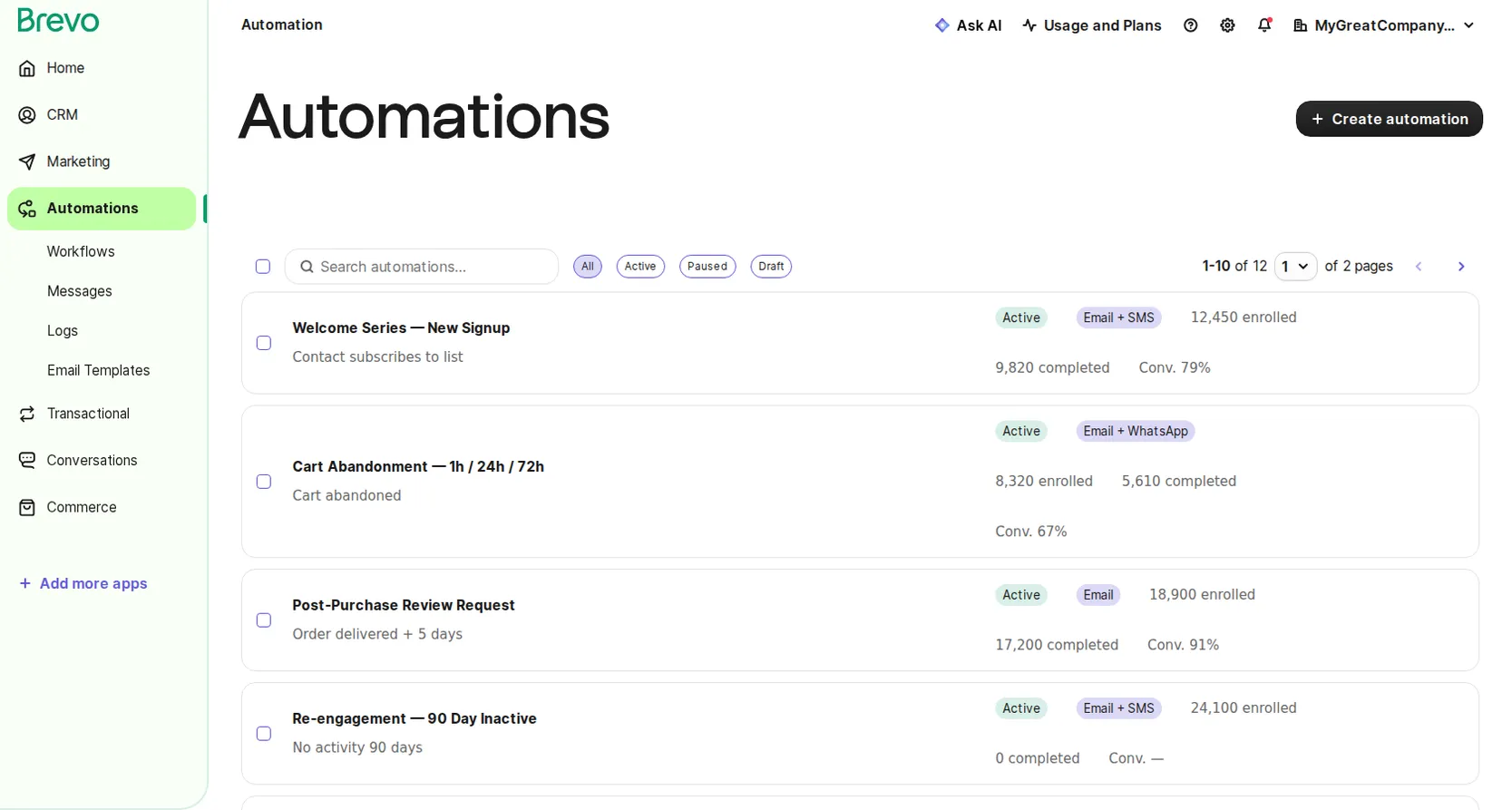
Visual Automation Builder
Drag-and-drop workflow editor with multi-channel triggers — email, SMS, and WhatsApp in a single flow. Brevo is the only platform with native WhatsApp automation built in.
- Email + SMS + WhatsApp in one workflow
- Behavioural triggers (cart, browse, purchase)
- A/B split within automations
- 20+ pre-built templates
Brevo · Multi-Channel
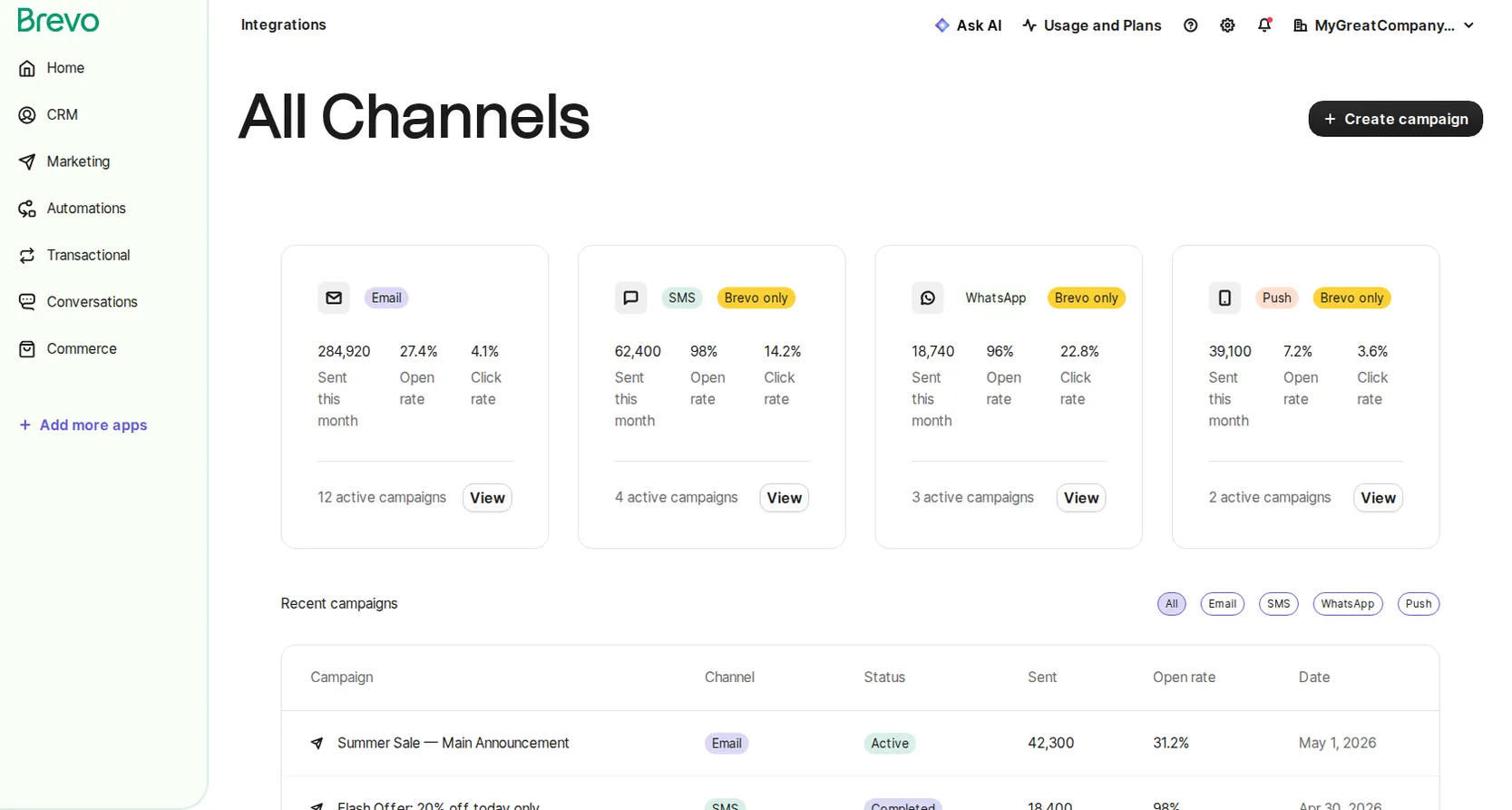
Email · SMS · WhatsApp · Push — one inbox
Brevo manages all four channels natively — email, SMS, WhatsApp, and push — with no third-party add-ons needed.
- SMS coverage in 200+ countries
- Full WhatsApp Business API (templates + 2-way)
- Web & mobile push notifications
- Unified send stats across channels
Brevo · CRM
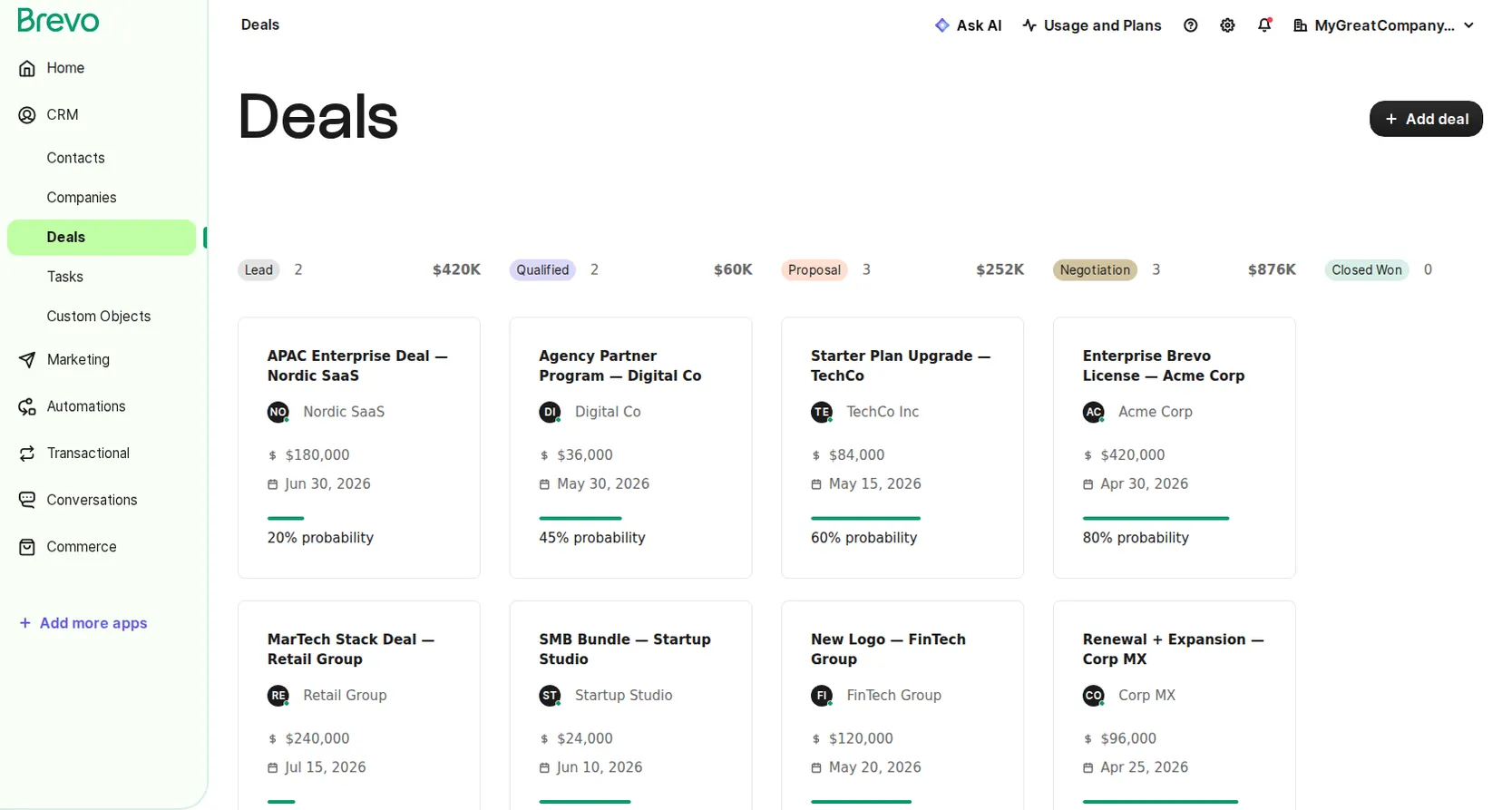
Deal Pipeline — Included on Every Plan
Brevo ships a full CRM (kanban pipeline, contact scoring, task management) on every plan including Free. No paid upgrade required.
- Kanban & list pipeline views
- Contact & deal scoring
- Task management + meeting scheduler
- Included on Free — $0 add-on cost
Brevo · Loyalty
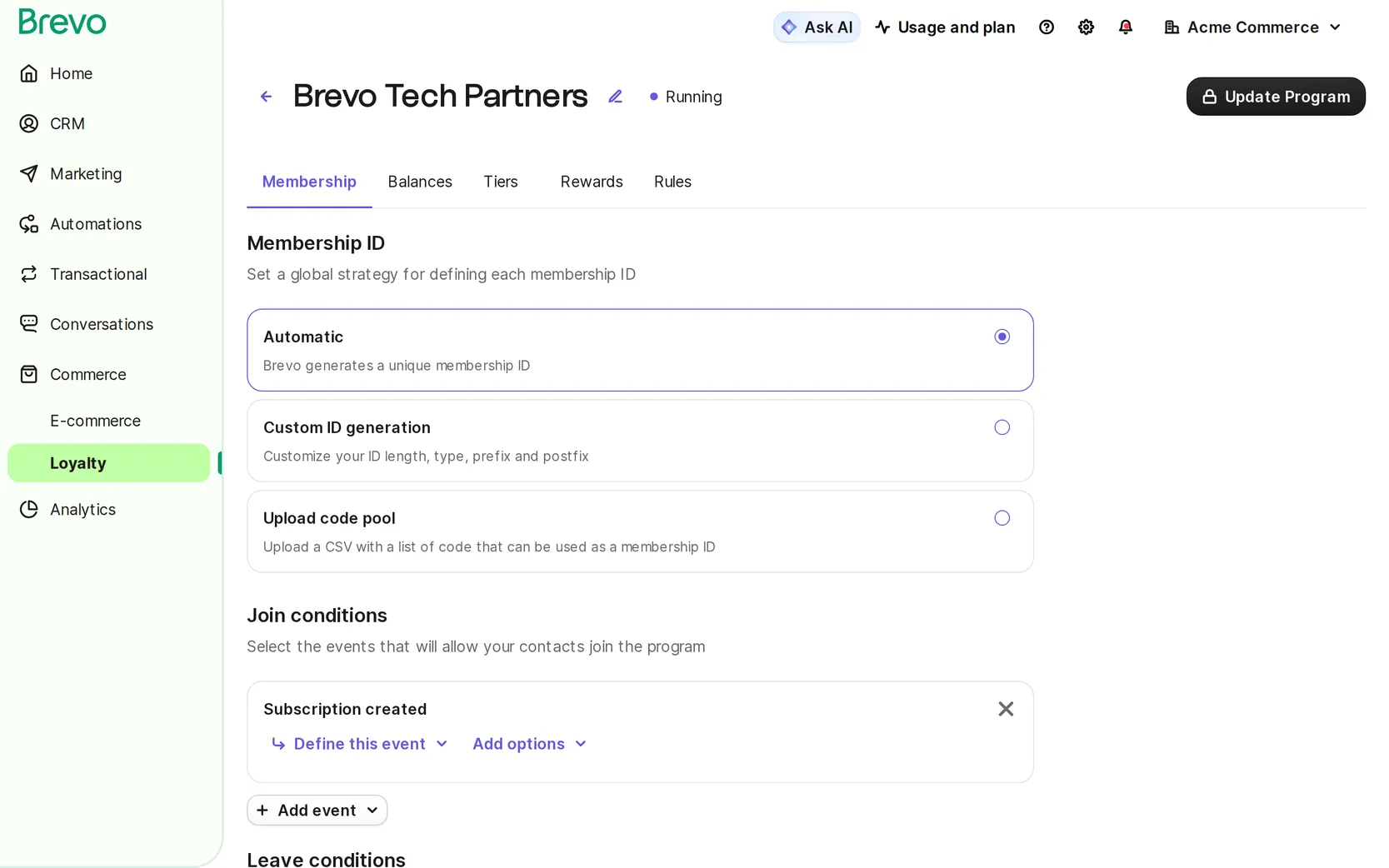
Built-in Loyalty Programme
Add points, tiers, and reward campaigns on top of Brevo via Tajo — the only Brevo integration that puts loyalty data directly into segmentation and automation.
- Points & tier earning rules
- Loyalty events in Brevo segments
- Win-back automation triggers
- Revenue & retention analytics
What is Brevo CRM?
Brevo CRM is a free customer relationship management system included with all Brevo plans. Unlike competitors that charge extra for CRM features, Brevo includes it at no additional cost.
Key Capabilities
- Contact management - Unlimited contacts with detailed profiles
- Deal pipeline - Visual sales tracking
- Task management - Follow-up reminders
- Email integration - Connected to marketing
- Automation - Workflow triggers
- Reporting - Sales analytics
Why Choose Brevo CRM?
Free Forever
| Feature | Brevo CRM | HubSpot Free | Zoho Free |
|---|---|---|---|
| Contacts | Unlimited | 1,000,000 | 5,000 |
| Deals | Unlimited | Unlimited | Limited |
| Email integration | Full | Basic | Basic |
| Marketing connected | Yes | Separate | Separate |
| Cost | $0 | $0 | $0 |
Unified Platform
Brevo CRM connects directly to:
- Email marketing
- SMS campaigns
- WhatsApp messaging
- Automation workflows
- Transactional emails
This eliminates data silos common with separate tools.
Getting Started with Brevo CRM
Step 1: Enable CRM
- Log into Brevo account
- Navigate to CRM in sidebar
- Click “Activate CRM”
- Configure initial settings
Step 2: Import Contacts
From CSV:
- Go to Contacts → Import
- Upload CSV file
- Map fields
- Complete import
From other CRMs:
- Direct integrations available
- API for custom migration
- Support assistance available
Step 3: Set Up Pipeline
- Go to Deals → Pipeline
- Create stages (e.g., Lead, Qualified, Proposal, Closed)
- Customize stage properties
- Set automation triggers
Core CRM Features
Contact Management
Contact Profiles Include:
- Basic information (name, email, phone)
- Company details
- Custom attributes
- Interaction history
- Email engagement
- Deal associations
- Notes and tasks
Segmentation:
- Create lists based on attributes
- Dynamic segments that update automatically
- Use for targeted marketing
Deal Pipeline
Pipeline Features:
- Visual kanban board
- Drag-and-drop deals
- Multiple pipelines
- Custom stages
- Deal values
- Expected close dates
- Win probability
Best Practices:
- Keep stages clear and distinct
- Limit to 5-7 stages
- Define stage criteria
- Set expected timeframes
Task Management
Task Types:
- Call reminders
- Email follow-ups
- Meeting scheduling
- Custom tasks
Automation:
- Auto-create tasks when deals move
- Reminder notifications
- Overdue alerts
- Team assignments
Notes and Activity
Track Everything:
- Meeting notes
- Call summaries
- Email threads
- Document attachments
- Status updates
CRM Automation
Workflow Triggers
When Contact:
- Is created
- Attribute changes
- Opens email
- Clicks link
- Visits page
When Deal:
- Is created
- Moves to stage
- Is won/lost
- Value changes
Automation Examples
Lead Nurturing:
-
New contact added
-
Add to welcome email sequence
-
Create follow-up task (3 days)
-
Notify sales team
Deal Stage Automation:
-
Deal moves to Proposal
-
Send proposal email template
-
Create task: follow up in 2 days
-
Update contact attribute
Win/Loss Tracking:
-
Deal marked as Won
-
Send thank you email
-
Add to customer list
-
Create onboarding task
CRM + Marketing Integration
Unified Customer View
Brevo CRM shows:
- Marketing email history
- SMS/WhatsApp interactions
- Website behavior (with tracking)
- Campaign responses
- Automation journeys
Synced Segmentation
Create segments using:
- CRM deal data
- Marketing engagement
- Combined criteria
Example: “Contacts with open deals who clicked last email”
Cross-Channel Campaigns
- Identify contacts in CRM
- Create targeted segment
- Send email campaign
- Follow up with SMS
- Track in CRM
Sales Reporting
Built-in Reports
- Pipeline overview - Deals by stage
- Revenue forecast - Expected revenue
- Activity summary - Tasks and interactions
- Team performance - By salesperson
- Conversion rates - Stage progression
Key Metrics
| Metric | What It Shows |
|---|---|
| Win rate | % of deals closed successfully |
| Average deal size | Mean deal value |
| Sales cycle | Time from lead to close |
| Pipeline value | Total potential revenue |
| Activity rate | Interactions per deal |
Team Collaboration
User Roles
- Admin - Full access
- Manager - Team oversight
- Sales rep - Own deals/contacts
- Marketing - Campaign access
Assignment Features
- Round-robin lead assignment
- Territory-based routing
- Manual reassignment
- Team visibility settings
Communication
- Internal notes
- @mentions
- Task assignments
- Activity feeds
Brevo CRM vs Alternatives
vs HubSpot CRM
| Feature | Brevo | HubSpot |
|---|---|---|
| Contact limit | Unlimited | 1M |
| Marketing included | Yes | Separate product |
| SMS/WhatsApp | Included | Paid add-ons |
| Learning curve | Low | Medium |
| Best for | SMBs | All sizes |
vs Zoho CRM
| Feature | Brevo | Zoho |
|---|---|---|
| Free tier | Generous | Limited |
| Email marketing | Built-in | Separate |
| Multi-channel | Yes | Limited |
| Complexity | Simple | Complex |
vs Pipedrive
| Feature | Brevo | Pipedrive |
|---|---|---|
| Cost | Free | $14+/user |
| Marketing | Included | No |
| Pipeline UI | Good | Excellent |
| Automation | Good | Good |
Advanced CRM Tips
1. Custom Attributes
Create fields specific to your business:
- Industry
- Lead source
- Product interest
- Decision timeline
- Budget range
2. Pipeline Stages
Align with your sales process:
- New lead
- Contacted
- Qualified
- Demo scheduled
- Proposal sent
- Negotiation
- Closed (Won/Lost)
3. Automation Rules
Set up time-savers:
- Auto-assign leads by source
- Move deals after X days inactive
- Send alerts for high-value deals
- Create tasks for stale deals
4. Integration Strategy
Connect Brevo CRM with:
- Website forms
- Calendar tools
- Communication apps
- Accounting software
- E-commerce platforms
E-commerce CRM Use Cases
With Tajo Integration
For Shopify stores, Tajo enhances Brevo CRM:
- Customer profiles - Full purchase history
- Loyalty data - Points and rewards
- RFM segments - Behavioral targeting
- Automated triggers - Purchase-based workflows
E-commerce Pipeline
Adapt CRM for retail:
- Browser → First-time visitor
- Subscriber → Email signup
- First purchase → Customer
- Repeat buyer → Loyal
- VIP → High-value
Common CRM Mistakes
1. Not Using It
Problem: CRM sits empty Solution: Make it part of daily workflow
2. Incomplete Data
Problem: Missing information Solution: Require fields, use automation to enrich
3. No Process
Problem: Inconsistent usage Solution: Define clear stages and criteria
4. Siloed Data
Problem: CRM disconnected from marketing Solution: Use Brevo’s unified platform
Getting More from Brevo CRM
With Tajo for E-commerce
If you run a Shopify store:
- Automatic customer sync
- Loyalty program integration
- Enhanced customer profiles
- Better segmentation
Upgrade Path
As you grow, Brevo offers:
- More automation workflows
- Advanced reporting
- Additional users
- Priority support
Conclusion
Brevo CRM provides enterprise-level features at no cost:
- Unlimited contacts and deals
- Full marketing integration
- Automation capabilities
- Multi-channel communication
For e-commerce businesses, combining Brevo CRM with Tajo unlocks even more power through deep Shopify integration and loyalty programs.
Ready to start? Get started with Tajo + Brevo CRM.
Frequently Asked Questions
Is Brevo CRM free?
Yes. Brevo includes a free CRM with unlimited contacts, deal pipelines, task management, and basic automation. It's one of the few platforms offering a truly free CRM alongside email marketing.
What can I do with Brevo's CRM?
Manage contacts and companies, track deals through customizable pipelines, set tasks and reminders, segment contacts, automate workflows, and sync with your email marketing campaigns.
How does Brevo CRM compare to HubSpot?
Both offer free CRMs. Brevo's CRM is simpler and more affordable when scaling, while HubSpot offers more advanced sales features. Brevo is better for businesses focused on marketing automation.